You can limit how many preorders customers can place by using Shopify’s inventory as the preorder cap. Follow these steps:
Step 1: Enable Preorder for In-Stock Products
In REZ settings, select the option to show preorder on in-stock products.
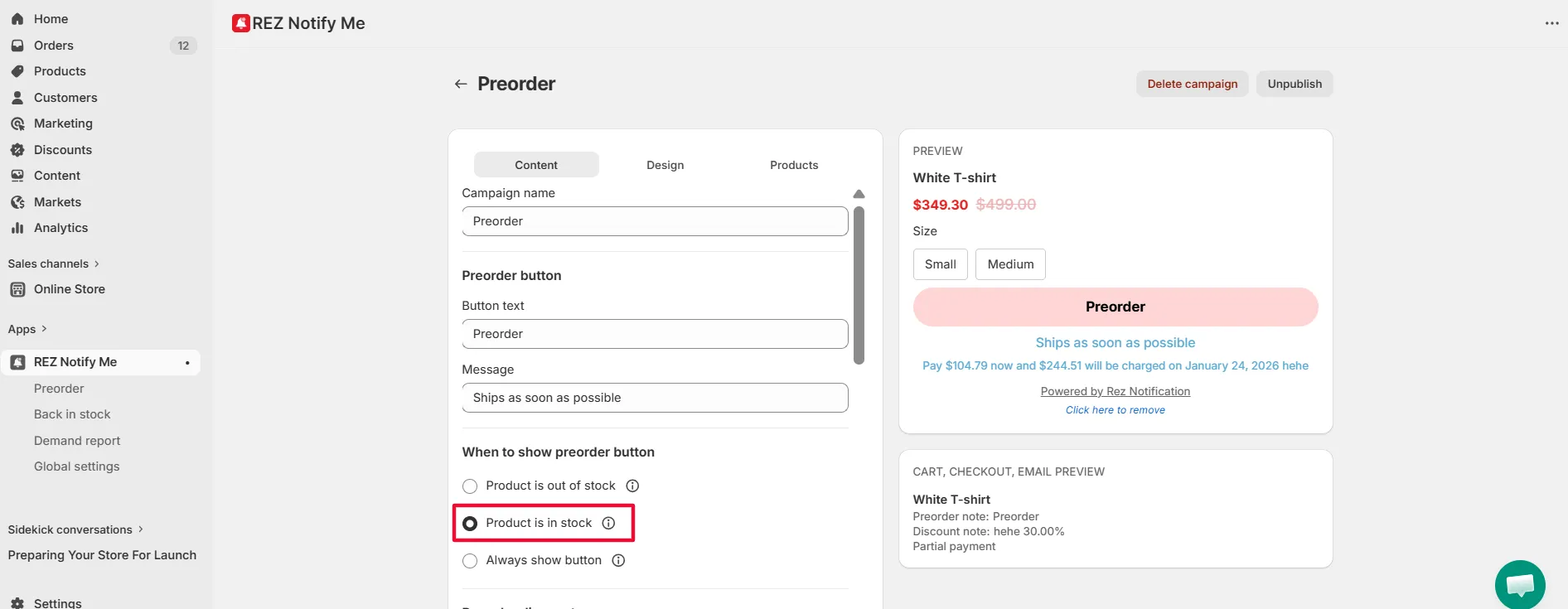
This allows you to control preorder quantity using inventory instead of unlimited orders.
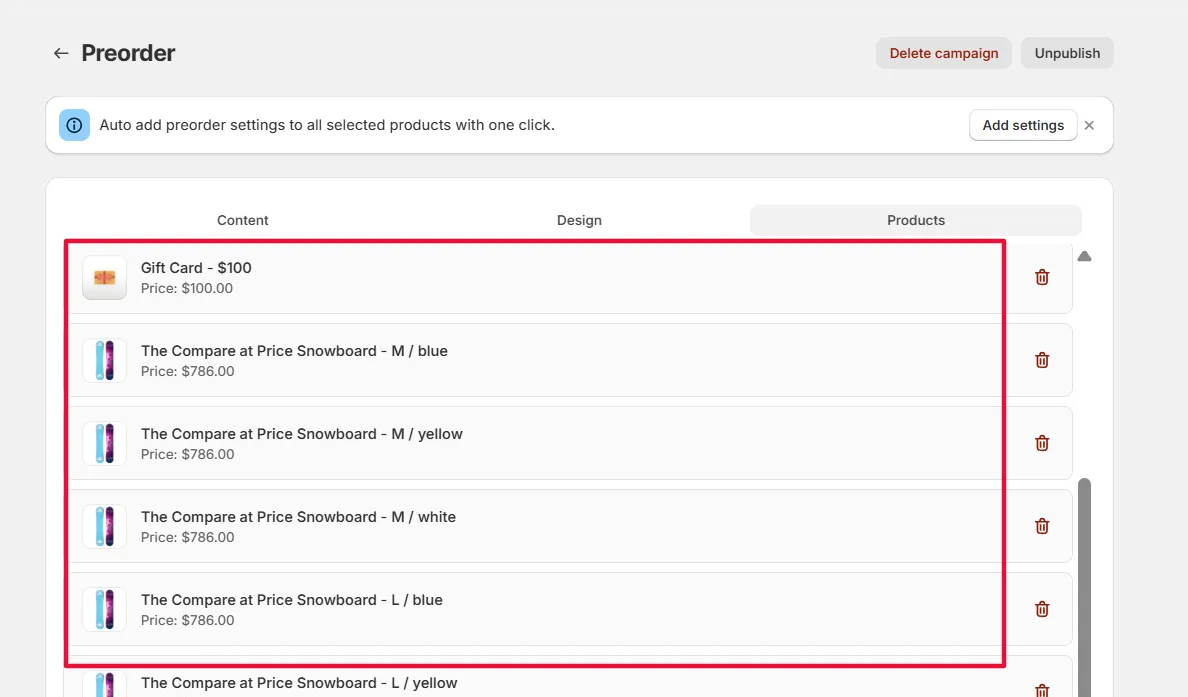
Step 2: Select Products for Preorder
Choose the specific products that you want to allow preorders for.
Step 3: Set Inventory as the Preorder Limit
In Shopify, set the inventory quantity for each selected product.
👉 This number will be used as the maximum number of preorders customers can place.
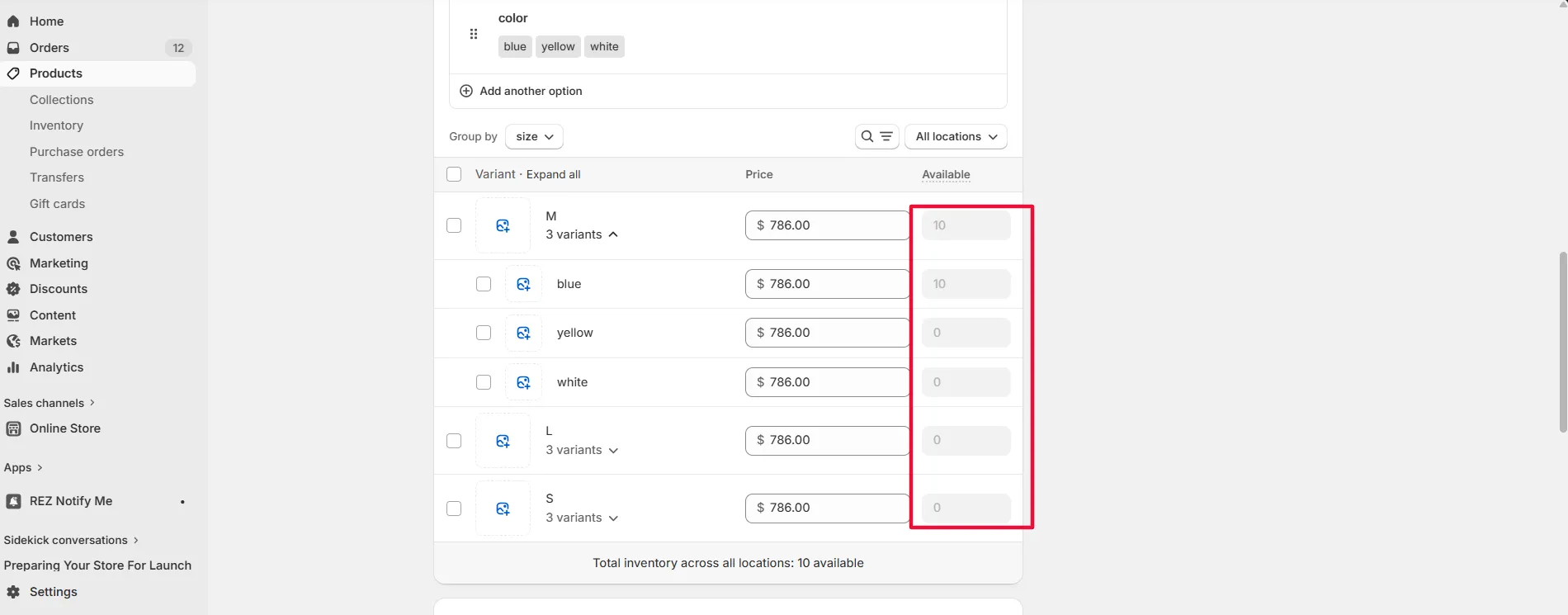
Example:
- Inventory = 10
- Customers can place up to 10 preorders.
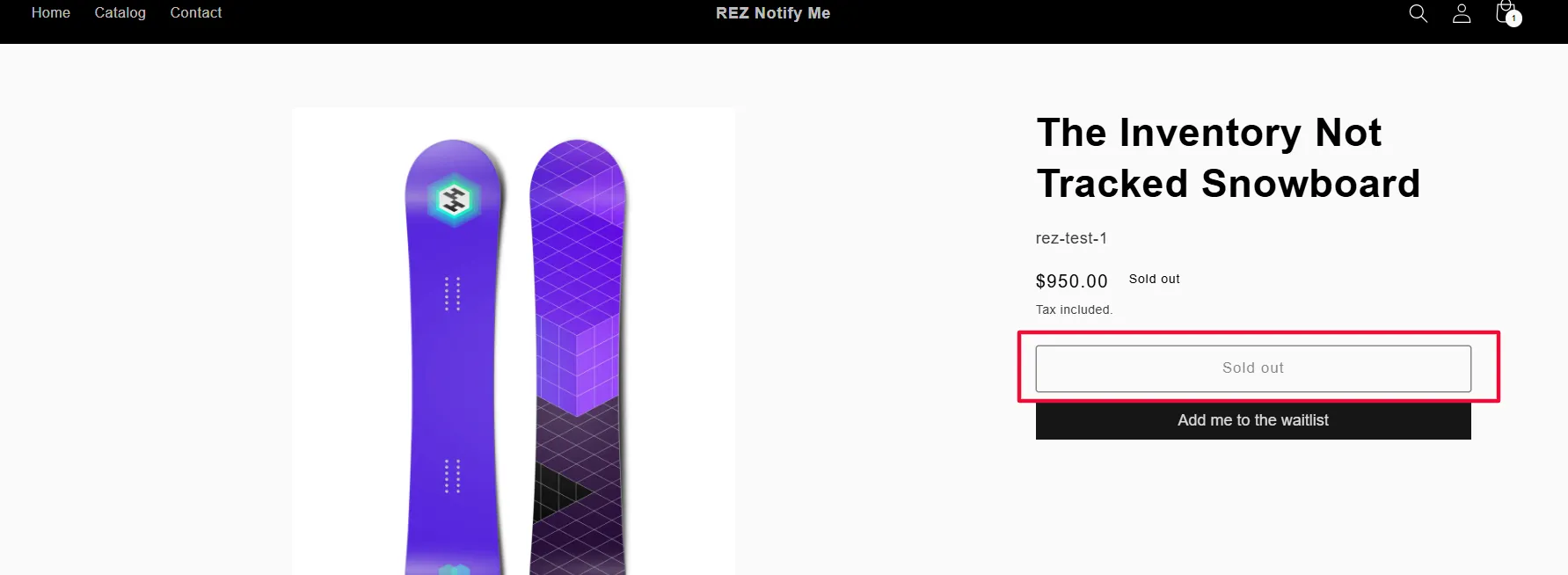
Step 4: Automatic Sold Out When Limit Is Reached
Once all inventory is purchased:
- The Preorder button will automatically change to “Sold out”
- Customers will no longer be able to place new preorders
Tips & Best Practices
- Set a realistic inventory number based on your actual supply capacity.
- You can increase or decrease the inventory later if your stock plan changes.
- Make sure inventory tracking is enabled in Shopify for these products.
Related
Create preorder campaign · Shopify discount setup (Alternative to REZ discount)