When to use this method?
Use this method when you:
- Want to use payment providers other than Shopify Payments
- Want to combine preorders with third-party apps (for example: subscriptions or bundles)
In these cases, you cannot use Shopify Selling Plans, which means REZ Discount, REZ Partial Payment, and REZ Shipping are not available.
Make sure you already installed Shopify flow (Native Shopify app and is free to install)
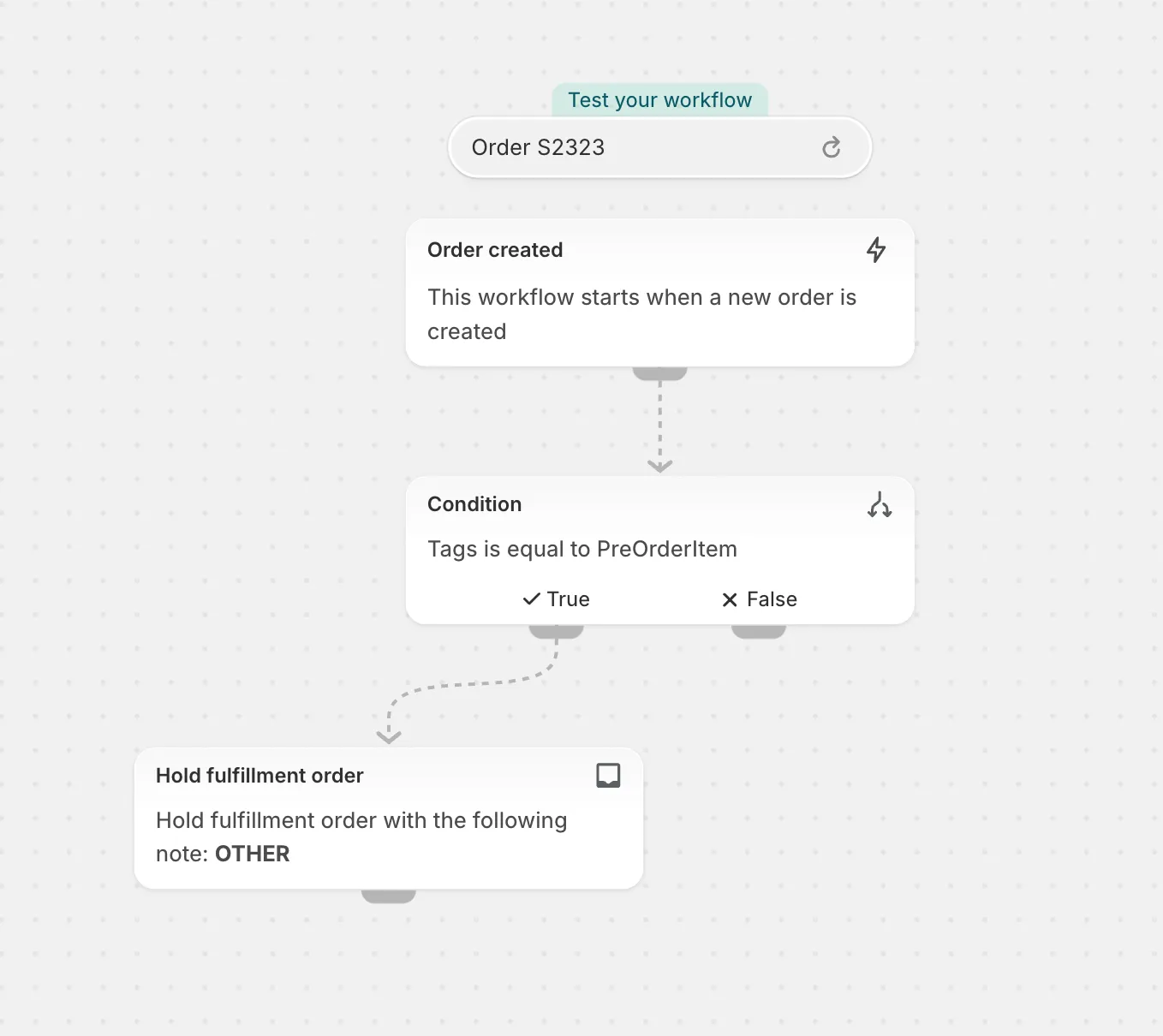
We will create a flow like this
We have full flow setup tutorial video available here
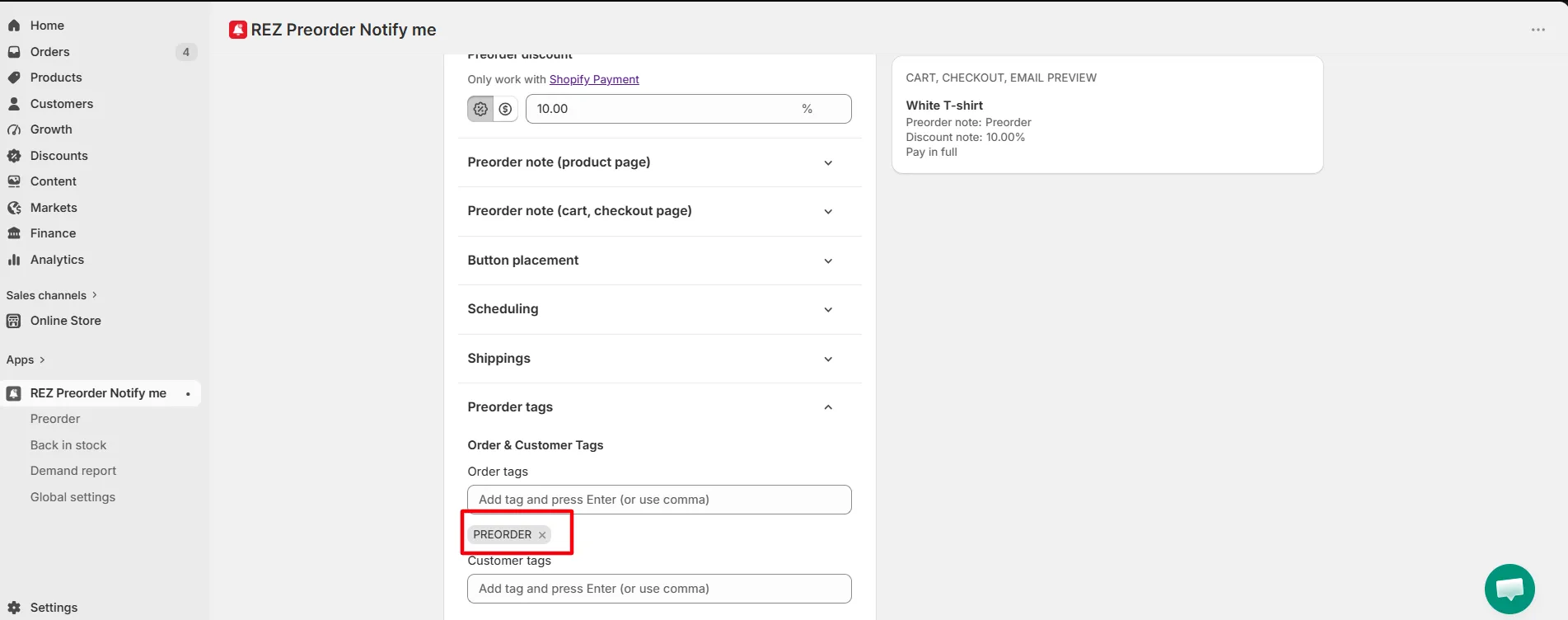
Step 1: Add tags for preorder order
Step 2: Open Shopify Flow
- In Shopify Admin → Apps
- Open Shopify Flow (Native Shopify app and is free to install at https://apps.shopify.com/flow)
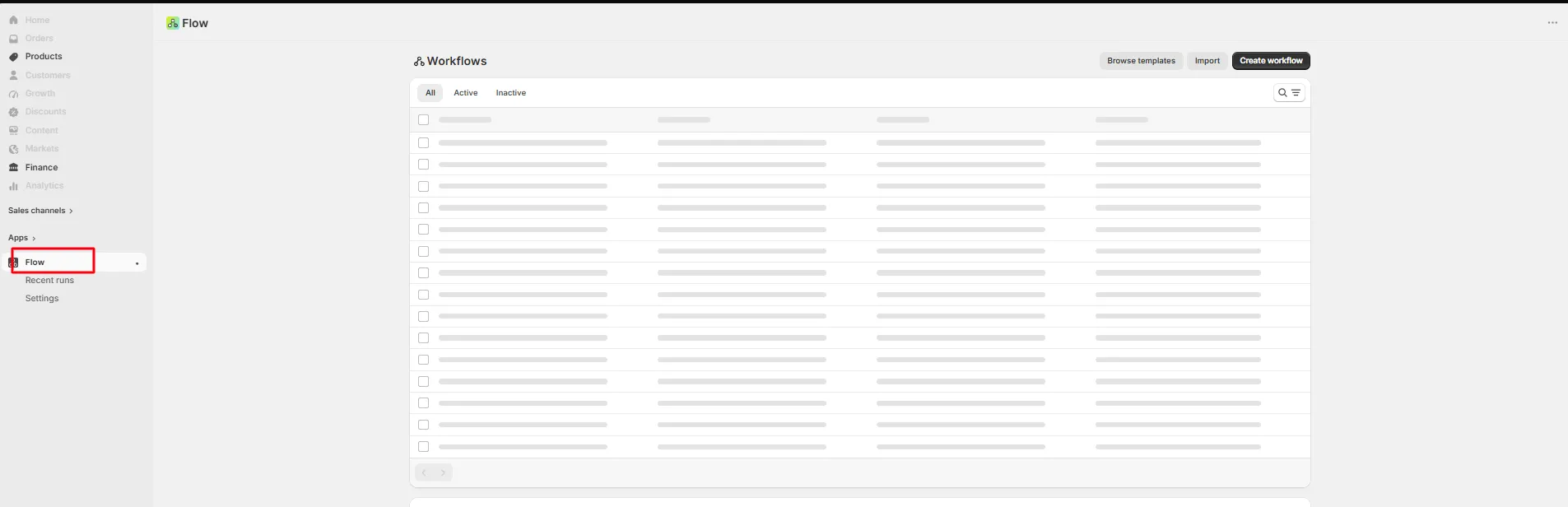
- Click Create workflow
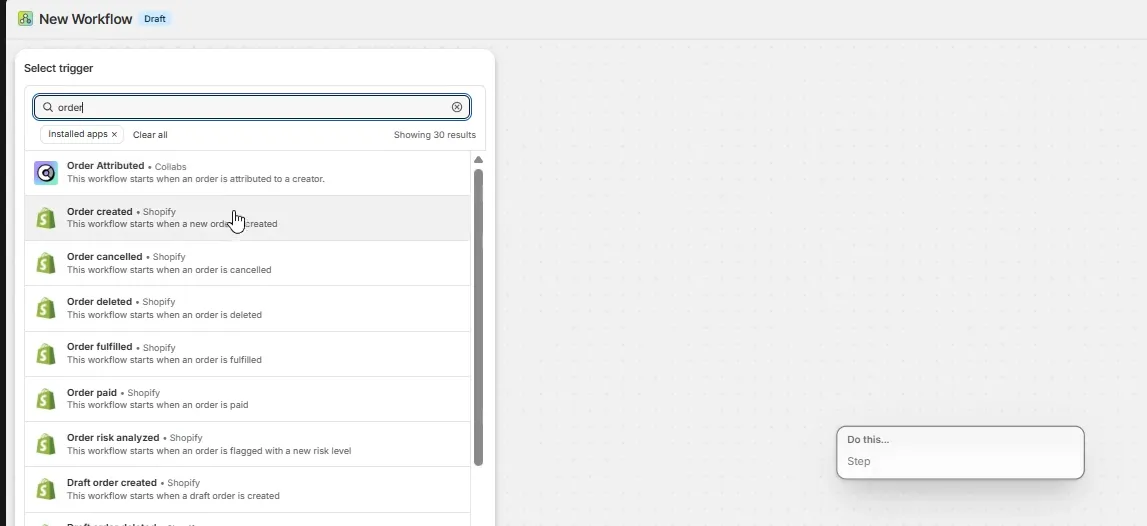
Step 3: Add Trigger: Order Created
This starts the automation whenever a new order is placed.
Configure:
- Trigger:
Order created
Step 4: Add Condition: Check Order Tag
Add a condition > true flow > add variable > search for “order tag” > choose order/tag
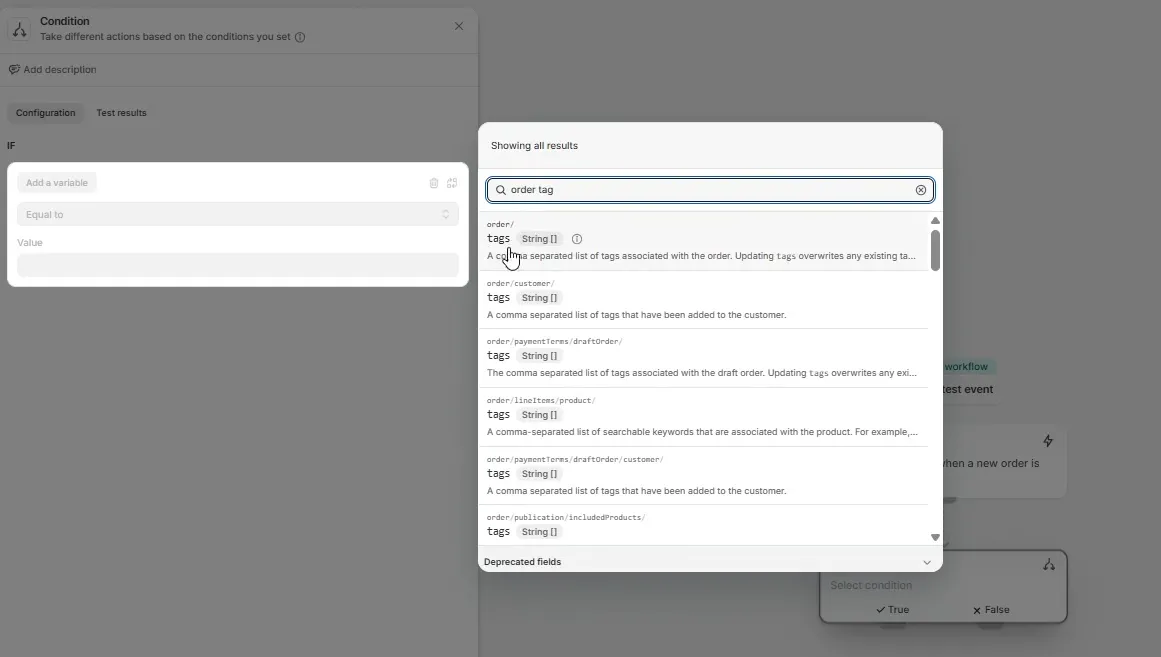
Add the tag you just added in the Preorder Campaign
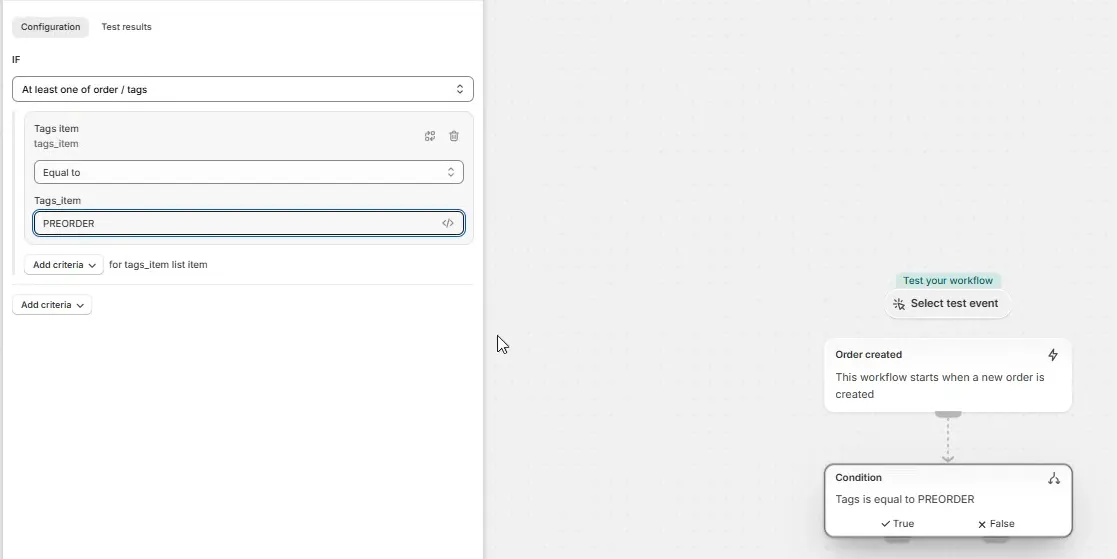
Step 5: Add Action: Hold Fulfillment Order
Under the True branch:
Add action:
- Action:
Hold fulfillment order
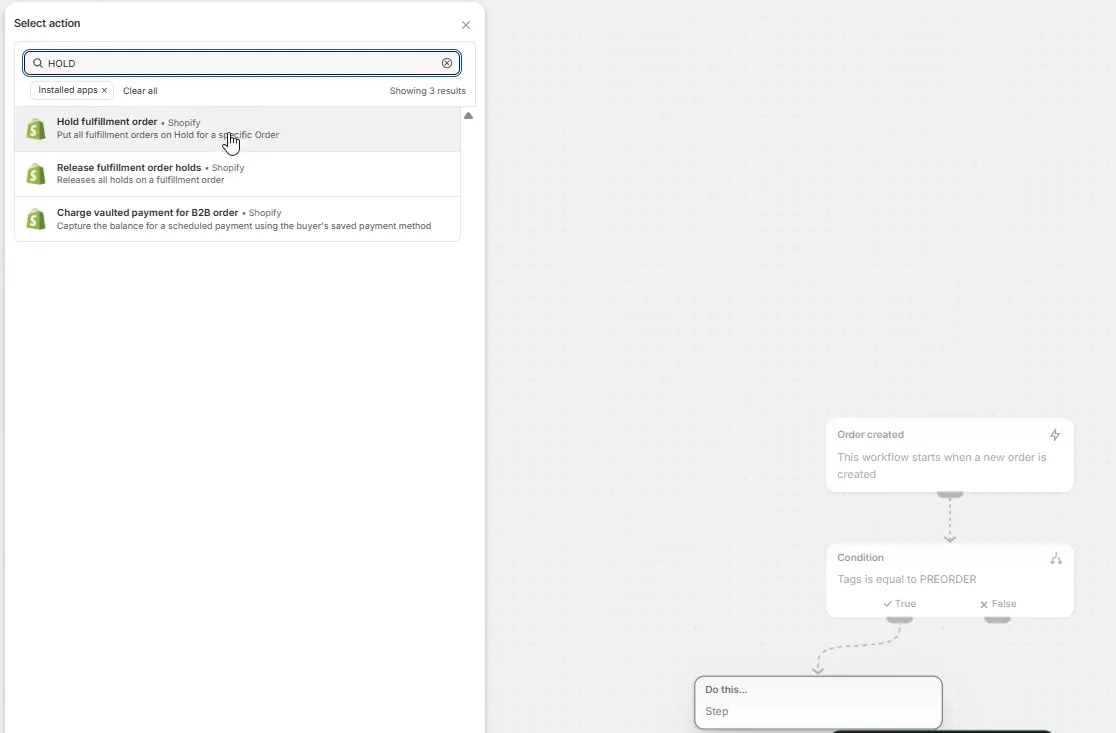
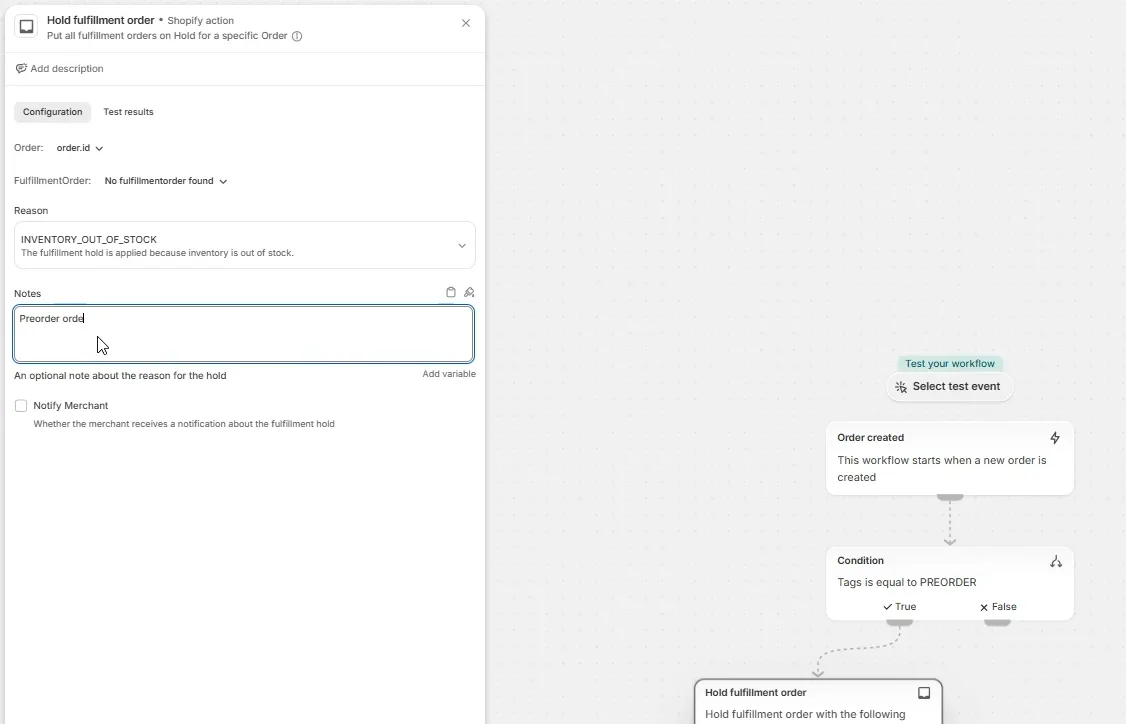
Configure:
- Reason: INVENTORY_OUT_OF_STOCK
- Note: Optional (example: Preorder order)
Step 6: Turn On the Workflow
- Click Turn on workflow
- Save changes
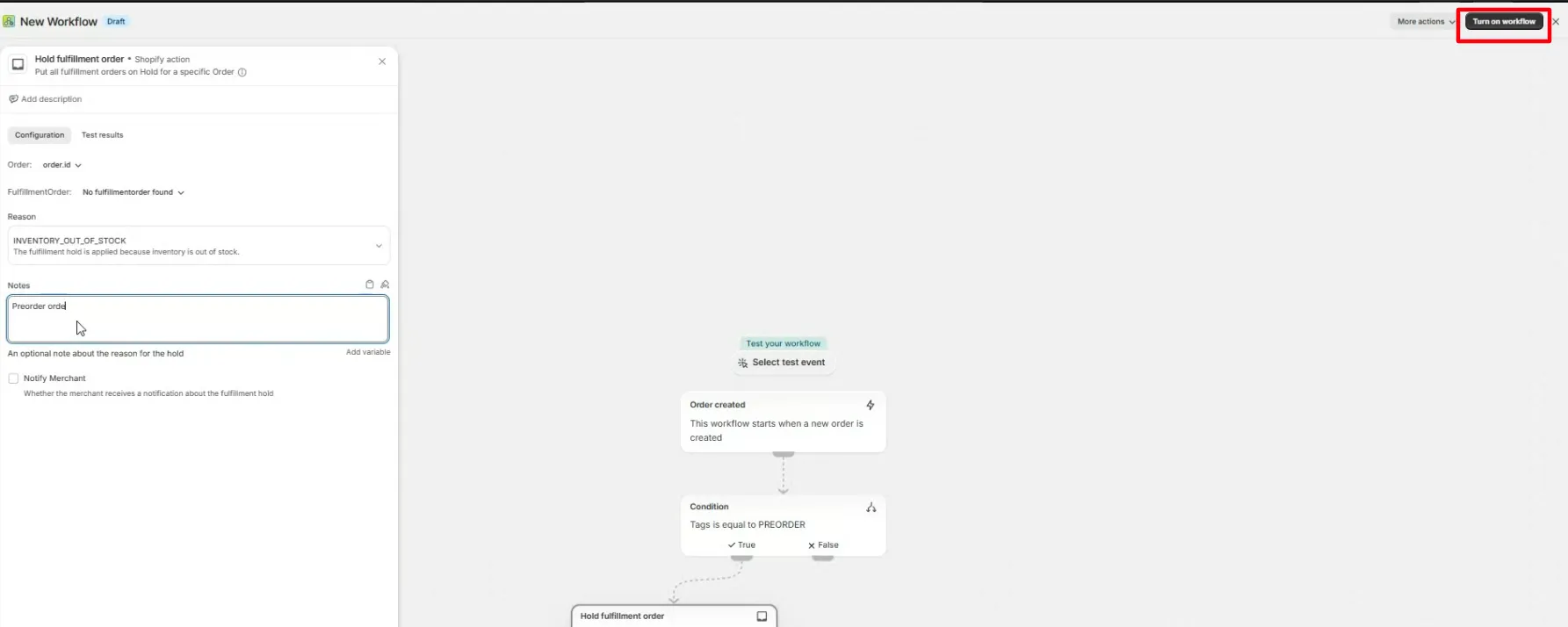
Step 6: Test the Workflow
To verify:
- Create a test order.
- Add the order tag: PREORDER
- Place the order.
- Confirm the order appears as Fulfillment on hold.
Expected behavior
| Order Tags | Result |
|---|---|
PREORDER |
✅ Fulfillment is held |
VIP |
❌ No action |
PREORDER, VIP (if using contains) |
✅ Fulfillment is held |
Related
Managing partial payments in Shopify · Payment & App Compatibility with Preorder (using Selling Plan) · Automatically Release Held Preorder Orders