If your preorder button is not appearing on the product page, please check the following:
1. Make sure the app is enabled
The preorder feature will not work if the app is not enabled in your theme.
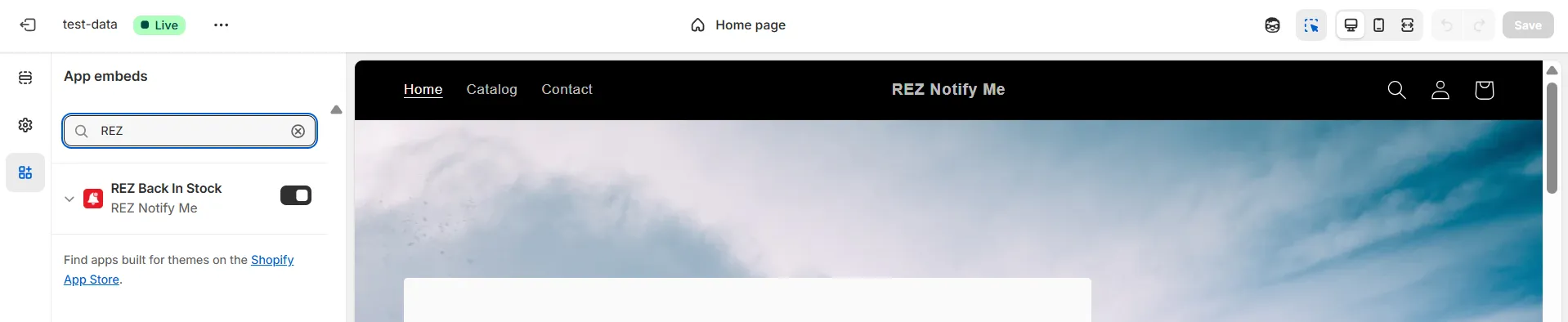
How to check: Follow the instructions to enable the app embed / app block in your theme
2. Make sure the campaign is published
If the campaign is still in draft or paused, the preorder button will not show.
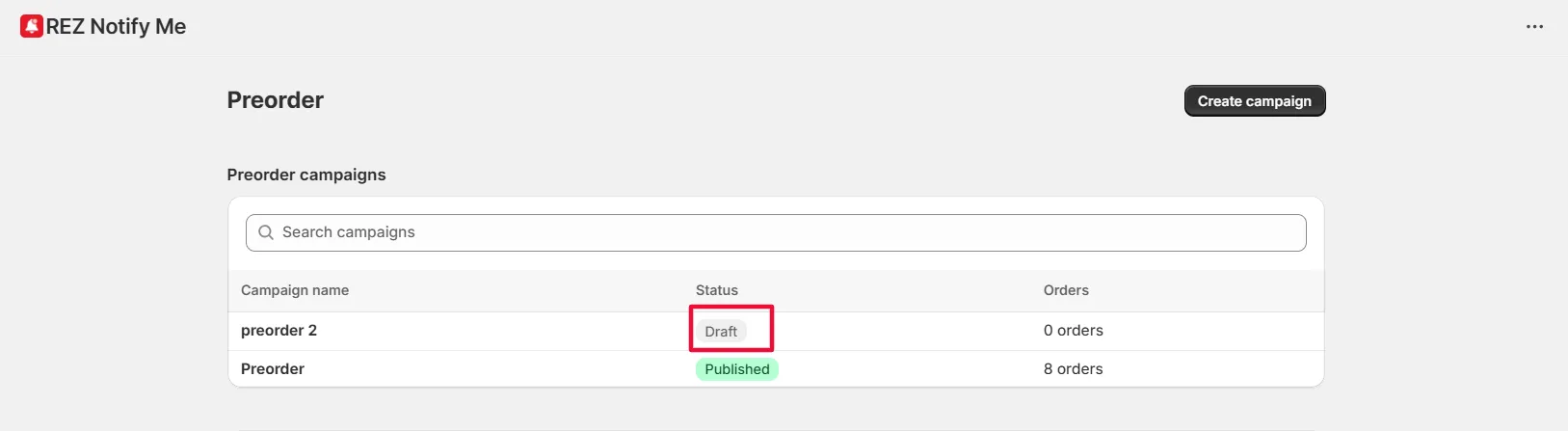
How to check:
- Go to Campaigns in the app
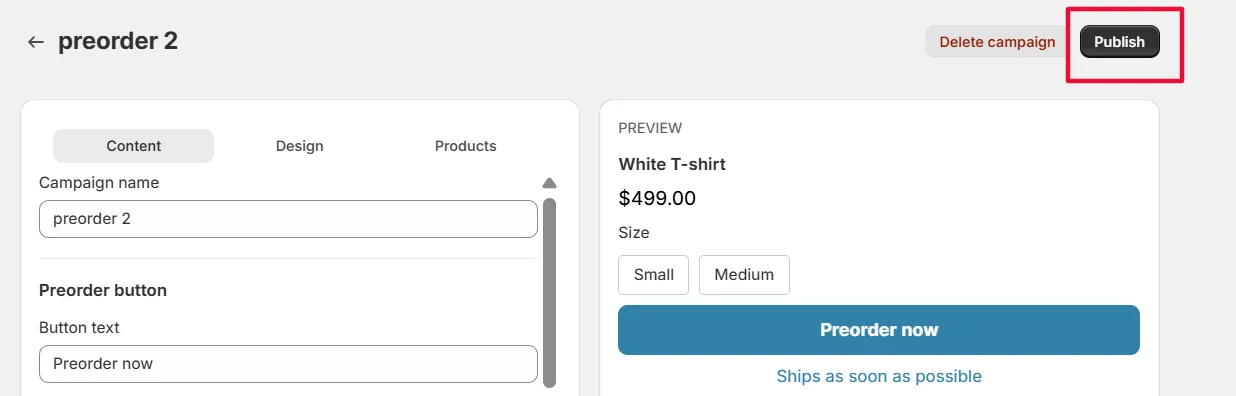
- Check the Status of your campaign, click onto that campaign
- If it’s not published, click “Publish”
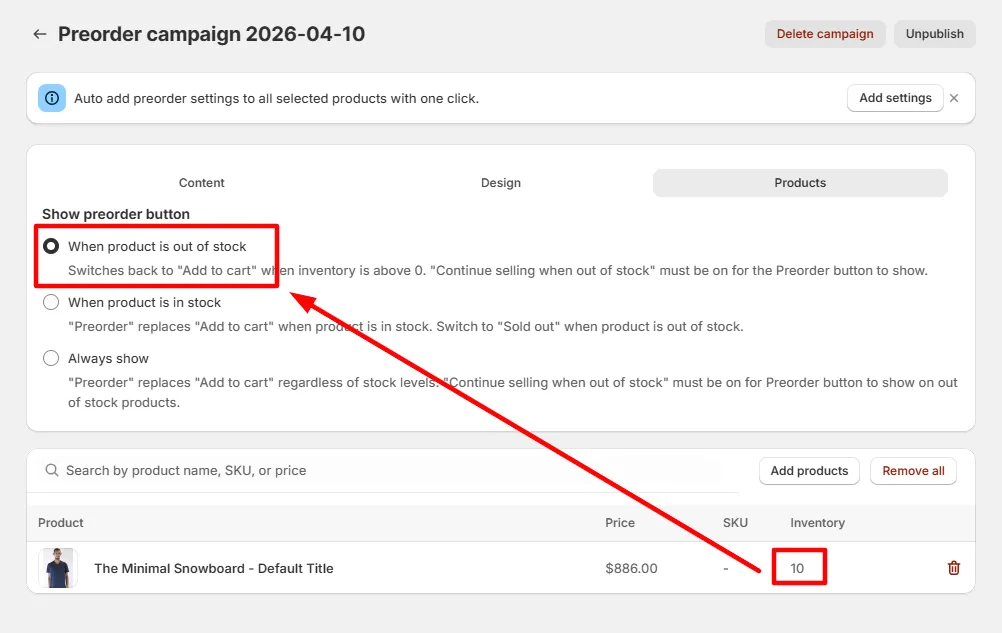
3. Check your stock condition settings
Your preorder button will only appear when the product matches the condition you selected.
For example:
- If you set preorder to show when the product is Out of Stock, it will not appear when the product is still In Stock
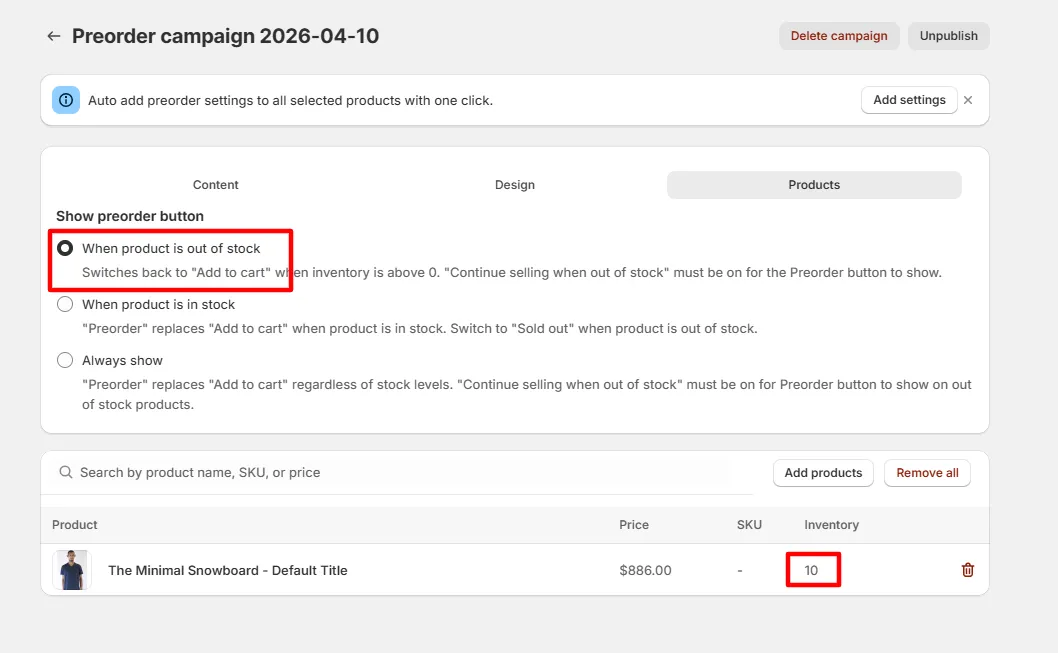
How to check:
- Go to your campaign settings
- Review the option: Show preorder button
Still not working?
If you’ve checked all the steps above and the preorder button is still not showing, please contact our support team and share:
- The campaign name
- The product URL
- A screenshot of your campaign settings
We’ll help you check it out as soon as possible. 🙌
Related
Can’t Add Preorder to Cart? · Can’t See the “Back in Stock” Button? · Can’t See Test / Restock Emails?